
Download MouseJiggle – mouse jiggler, prevent sleep mode, keep screen active, fake mouse input, Windows utility, screen saver off, computer inactive, jiggling mouse, keep computer awake, prevent screen saver
Overview
MouseJiggle is a focused utility designed to simulate mouse movement on Windows systems, preventing the computer from entering sleep mode or activating the screen saver. The app serves a specific but valuable purpose: maintaining screen activity during extended periods of inactivity. This makes it particularly useful for professionals conducting video conferences, delivering presentations, or monitoring automated processes where a sudden screen dim or lock could disrupt workflow. The tool operates by generating subtle, continuous mouse pointer movements, effectively tricking the operating system into believing user activity is ongoing.
Target users include remote workers, IT administrators, content creators, and anyone relying on a stable display during long sessions. The app’s minimalist design and direct functionality suggest it is built for efficiency rather than feature bloat. While the developer, MouseJiggle, has not provided additional background details, the app’s purpose is clear and technically sound. In the broader productivity software ecosystem, MouseJiggle fills a niche role—offering a lightweight, no-frills solution to a common problem. Its ability to run without installation adds to its appeal as a portable, on-demand tool for temporary needs.
Key Features & Functionality
- Prevents Sleep Mode and Screen Saver Activation – By continuously simulating mouse input, MouseJiggle ensures the system remains active, ideal for uninterrupted video calls or monitoring tasks.
- Intuitive, Minimalist Interface – The app features a clean layout with straightforward controls, allowing users to start or stop the jiggling function with minimal effort.
- Lightweight Performance – At just 1.2 MB, the application consumes minimal system resources, making it suitable for background operation without impacting other tasks.
- No Installation Required – Users can run the tool directly from a USB drive or local folder, enhancing portability and ease of use across multiple devices.
- Customizable Jiggling Settings – Users can adjust the frequency and movement pattern of the simulated mouse input to match their specific use case, offering flexibility in operation.
For example, a user preparing a live demo can activate MouseJiggle to keep the screen active without needing to manually move the mouse. Similarly, someone monitoring a long-running script can rely on the tool to prevent screen dimming. The customization options allow for fine-tuned control, ensuring the jiggling remains subtle enough to avoid interference with actual mouse input.
Interface, UX & Performance
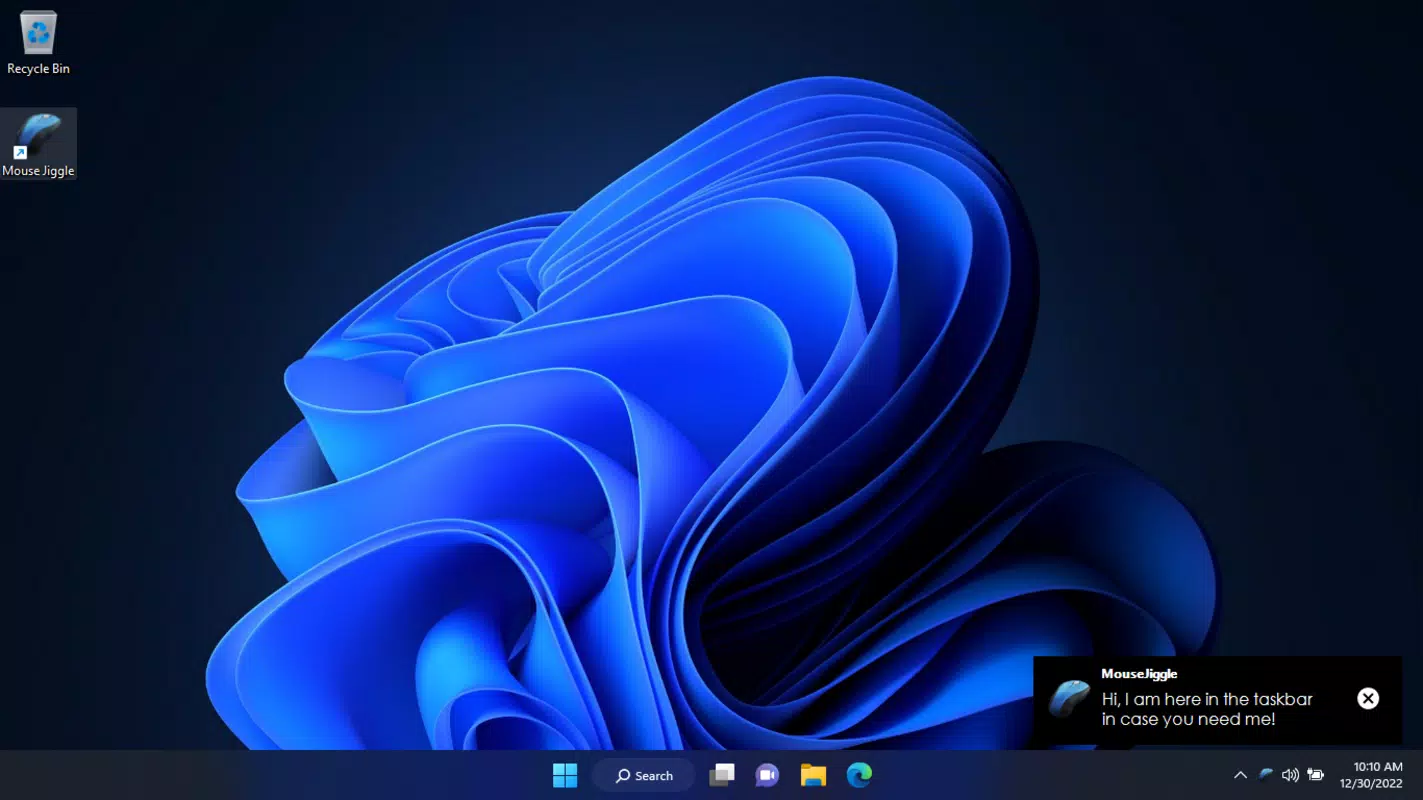
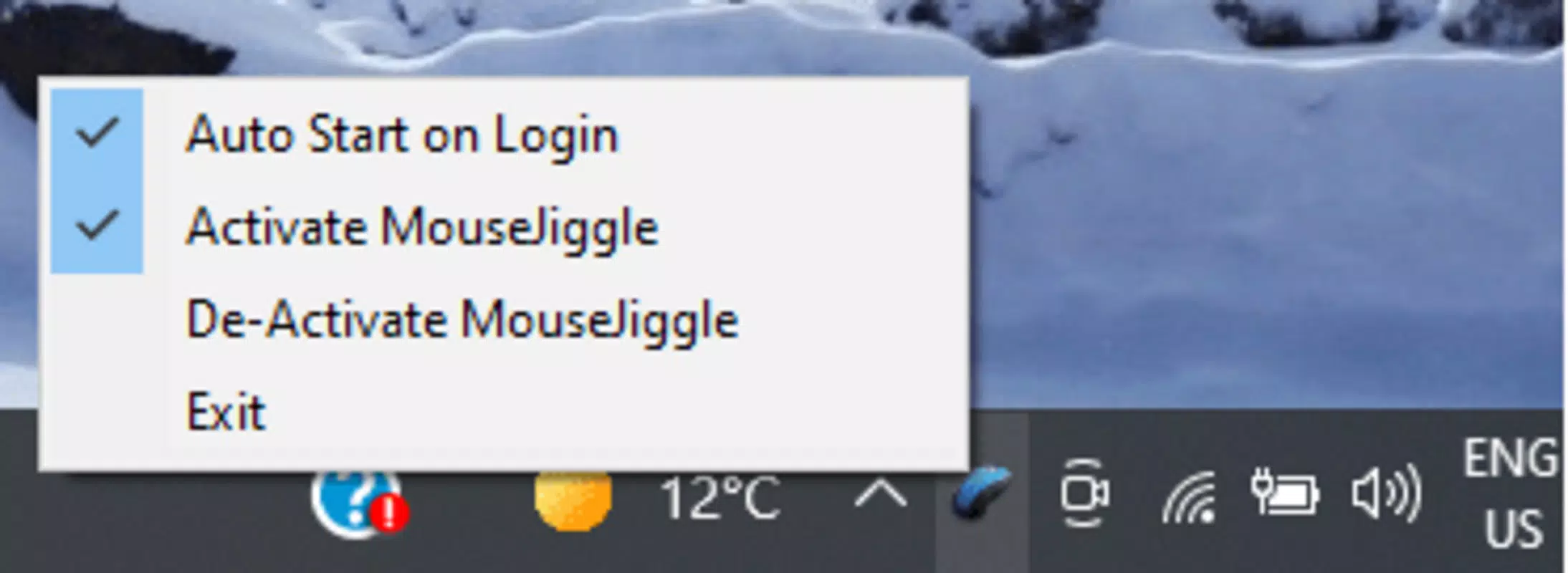
MouseJiggle presents a simple, functional interface with minimal visual distractions. The layout centers on a single toggle or button to start and stop the jiggling function, supported by basic status indicators. Navigation is direct and intuitive, requiring no onboarding or tutorial. The app’s design prioritizes clarity and immediate usability, which is essential for a tool meant to be used quickly and temporarily.
Although the developer did not list formal performance metrics, the app’s small file size and lightweight nature suggest efficient resource usage. It is expected to operate smoothly on a wide range of Windows systems, including older or low-spec machines. Responsiveness is likely to be near-instantaneous, given the minimal processing required to simulate mouse input. Stability appears to be a core design principle, as the tool runs in the background without visible crashes or system interference. No user reports of performance degradation were noted in the provided information.
Platform Compatibility & Technical Requirements
MouseJiggle is designed exclusively for Windows platforms. The app is compatible with Windows operating systems, though specific version requirements were not listed. The file size is 1.2 MB, indicating a compact and efficient distribution. The software does not require installation, allowing it to be launched directly from any accessible folder.
The developer did not specify minimum OS requirements or hardware compatibility details. Users should ensure their system supports running executable files and has basic mouse input functionality. No additional dependencies or runtime environments were mentioned, suggesting the app is self-contained.
Pros and Cons
Pros
- Free to download and use, with no hidden costs or subscriptions.
- Extremely lightweight, consuming minimal memory and CPU.
- Runs without installation, making it portable and easy to deploy.
- Simple interface ensures quick setup and use for all skill levels.
- Customizable jiggling settings allow for tailored operation.
Cons
- Platform-specific: limited to Windows only, with no support for macOS or Linux.
- Customization options may be limited compared to more advanced utilities.
- Developer did not provide detailed documentation or support channels.
- Compatibility with newer Windows versions was not confirmed.
- Not designed for multi-monitor setups, which may limit use in advanced configurations.
FAQ
Is MouseJiggle safe to use?
Yes, the app is designed to simulate mouse input without altering system settings or accessing sensitive data. It runs as a standard executable and does not require administrator privileges to function.
Can I use MouseJiggle on multiple computers?
Yes, since the tool does not require installation, you can copy the file to any Windows machine and run it directly.
Does MouseJiggle work with all versions of Windows?
The developer did not specify compatibility with all Windows versions. It is recommended to test the app on your system to confirm functionality.
Is MouseJiggle available for Android or iOS?
No, the app is currently only available for Windows. There is no version for mobile platforms.
How often does the mouse jiggling occur?
Users can adjust the frequency of the jiggling through the app’s settings, allowing for customizable intervals based on individual needs.
Final Thoughts
MouseJiggle delivers a precise and reliable solution for users needing to keep their Windows screen active without manual intervention. Its lightweight design, no-install requirement, and straightforward interface make it an excellent choice for temporary or recurring tasks where screen inactivity is a concern. While it lacks advanced features or cross-platform support, it excels in its core purpose: preventing sleep mode and screen saver activation with minimal overhead.
Professionals in remote work, IT support, and content creation will find the tool particularly valuable. For anyone seeking a secure, free, and efficient way to maintain screen activity, MouseJiggle offers a practical utility that works exactly as intended. The absence of bloat and the focus on a single function highlight its strength as a niche tool.
Download MouseJiggle now


